nvk_LOOPMAKER 2
Turn selected items into seamless loops in Reaper
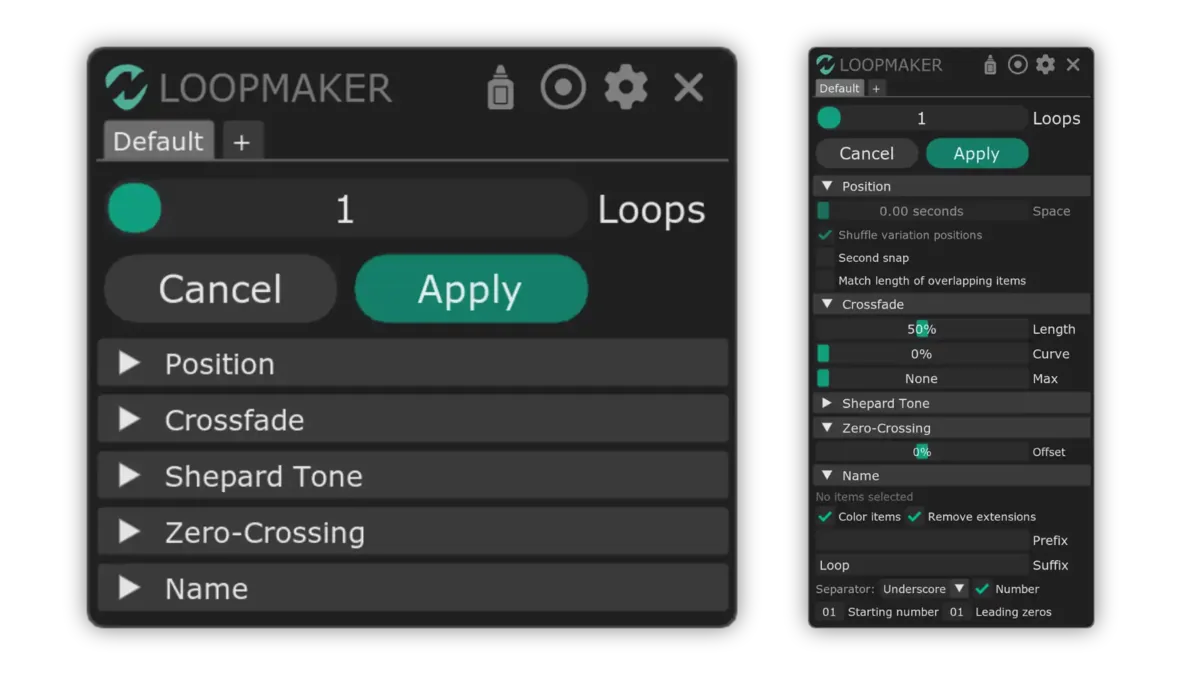
The script makes a loop from every selected item at once. It cuts at zero-crossings, crossfades the end into the start, and plays the loop during adjustments.
Purchases go through Gumroad.com
- 14-day trial, no card needed
- Updates through ReaPack
- macOS & Windows, Reaper 7+
- Multi-user licenses available
Hear the loop point
A loop cut straight from a recording clicks each time it repeats. Switch between a plain cut and nvk_LOOPMAKER's loop, and change the crossfade Length and zero-crossing Offset.
Longer is smoother, and makes the loop shorter.
Where the script looks for a zero-crossing. At 0% it looks in the middle of the item.
The sound is synthesized in the browser. In Reaper, the script does the same to each selected item.
Hear a Shepard tone
Shepard Tone mode glides an item's pitch, cuts it into pieces, and stacks them, so the loop seems to rise or fall forever.
More loops means more pieces at once, and a shorter loop.
How far the pitch glides, up or down.
The sound is synthesized in the browser. Its fades are straight, like a Crossfade Curve of 0%.
How it works
-
Select items
Each selected item becomes its own loop.
-
Run nvk_LOOPMAKER
Set Loops and the crossfade Length, and press Space to listen.
-
Apply
Click Apply or press Enter. With Glue on, each loop renders to one file.
Features
Several items at once
One run loops every selected item. Match length of overlapping items keeps loops on stacked tracks the same length.
Live preview
Press Space while the script is focused to hear the loop while changing settings.
Loop variations
Set Loops above 1 to cut several loops from one item. They join with sample-accurate transitions, so a game can play them in random order.
Zero-crossing loops
Every loop starts and ends at a zero-crossing. If it's a bad loop point, Offset moves the search to another.
Fit to the time selection
Loops can match the length of the time selection. Items that are too short are extended and duplicated.
Glue and rename
Glue renders each loop to a new file. Prefix, suffix, and numbering name them, and item colors set them apart from the originals.
Settings
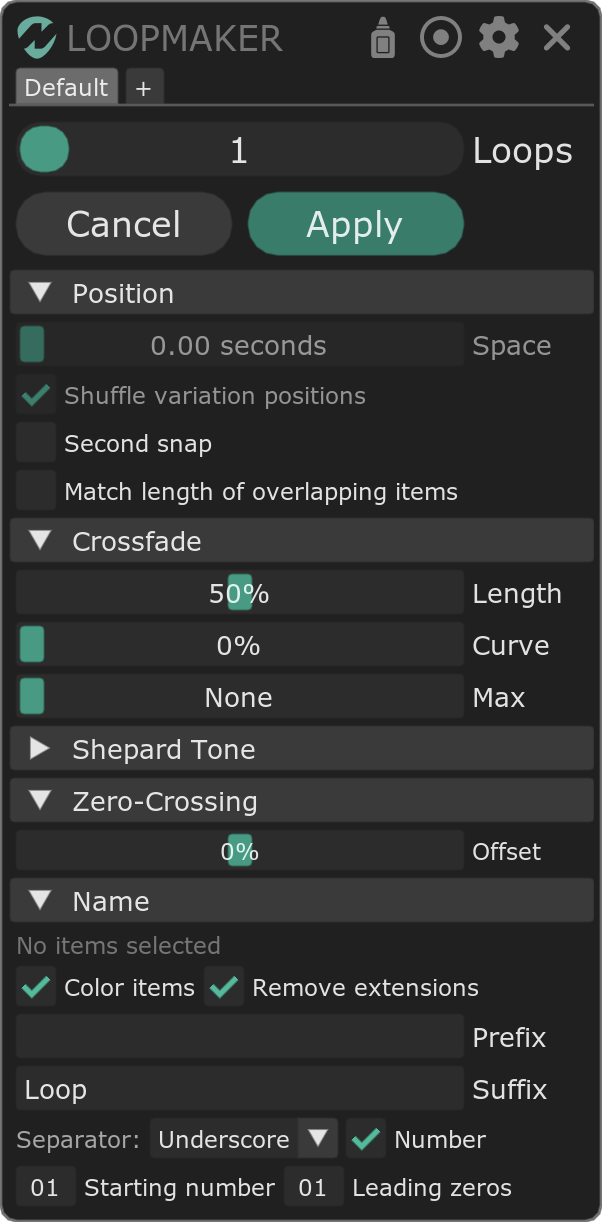
The main controls are always shown, and the rest are in collapsible sections.
- Loops and Glue
- How many loops to make from each item, and whether to glue each into one file.
- Position
- Space between loops, shuffled variation positions, snapping to whole seconds, and matching the length of overlapping items.
- Crossfade
- Length, Curve, and a Max length that caps crossfades on long loops.
- Shepard Tone
- Turns the loop into a rising or falling Shepard tone. Pitch sets how far it glides.
- Zero-Crossing
- Offset, and a list of the zero-crossings found in each item.
- Name
- Prefix, suffix, separator, and numbering for the new loops, item colors, and removing file extensions.
Video walkthrough
Reviews
The first one was great, but nvk_LOOPMAKER 2 is just AMAZING! Easy to use, clean UI and a lot more customisation compared to the first. It's something i use daily so definitely recommend.
Making loops manually = L
Making loops with nvk_LOOPMAKER = Huge dub
FAQ
Can I try it before buying?
Yes, for 14 days, no card needed. Install it with the install guide, run it in Reaper, and leave the license field blank when it asks.
Do I need a time selection?
No. Without one, the script uses the whole item. Matching loops to the time selection is an option.
Which versions of Reaper and which systems are supported?
Reaper 7 or later on macOS and Windows.
What do I need before installing?
Reaper, ReaPack, the SWS/S&M Extension, ReaImGui, and the js_ReaScript API. The scripts install through ReaPack, and the install guide covers each step.
Can I use my license on more than one computer?
Yes. Each license works on up to four computers at a time, all used by the same person.
Can I buy licenses for a team?
Yes. Pick the number of people in the team license option at the bottom of this page for one multi-user key. Questions? Email support@nvk.tools.
nvk_LOOPMAKER 2
Updates through ReaPack. Try it free for 14 days.
Purchases go through Gumroad.com
Buying for a team? Choose how many people need it for one multi-user key. Each person can use it on up to four of their own computers. Regular price $29, now $29 per license.
The Game Audio Bundle includes nvk_LOOPMAKER 2 and nvk_WORKFLOW 2 for less than buying them separately.
See the bundle